
Reference

Live Dragon Tiger Turbo With Clear Choices

235slot puts Live Dragon Tiger Turbo in our live lobby with Dragon, Tiger and Tie selections displayed before each dealer round.

Dragon and Tiger sidesTie selectionLive dealer streamTurbo round pace
235slot Live Dragon Tiger Turbo With Clear Choices
235slot What You See At The Table

What You See At The Table

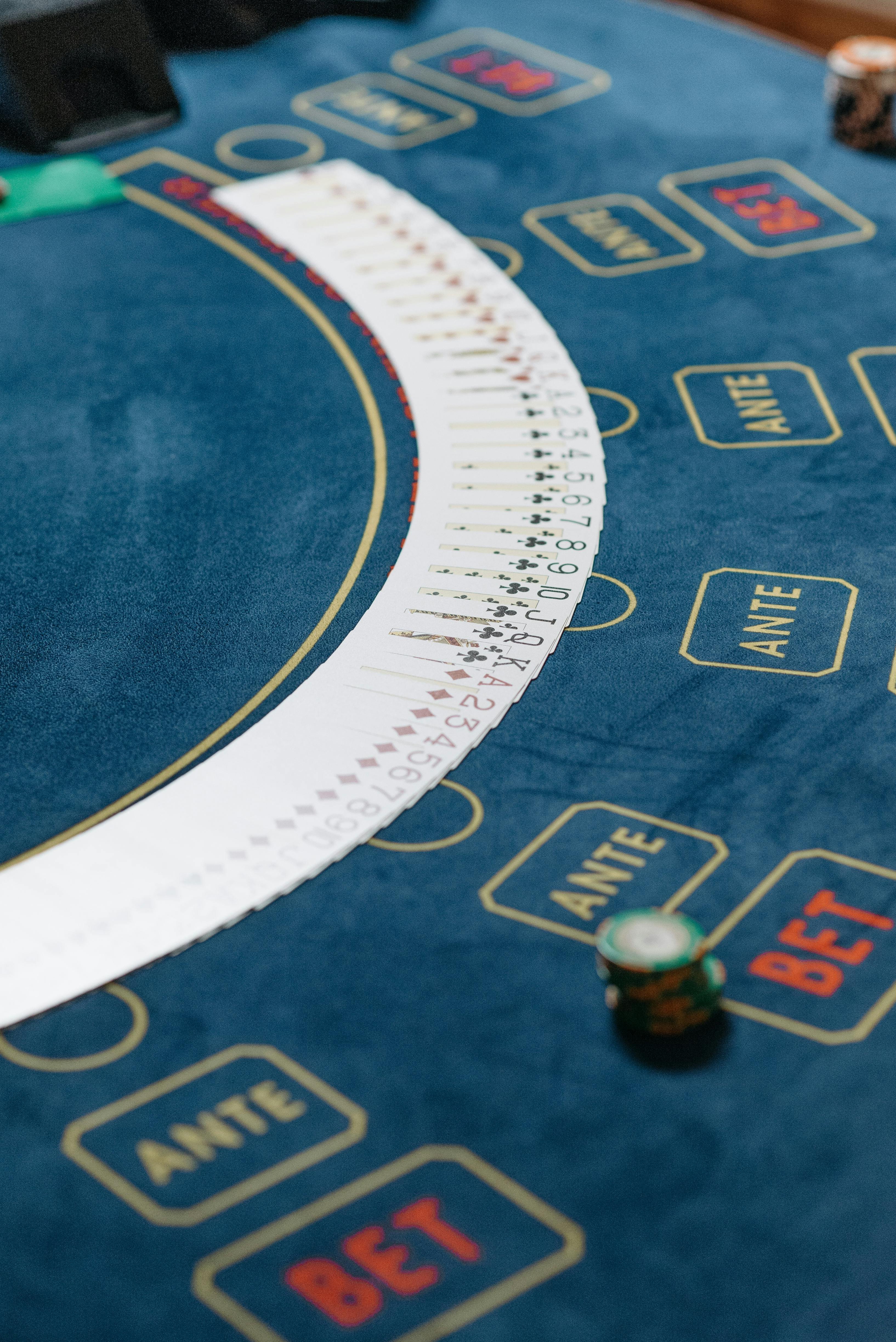
Live Dragon Tiger Turbo is a live dealer card table where one card is dealt to Dragon and one to Tiger. The higher card determines the round result, while Tie is available when both sides receive the same rank. Our lobby presents the current table state, betting area and recent round display together before you enter. Unlike multi-hand card rooms, this format

keeps the decision to a small set of outcomes. You can move from the live category to Speed Blackjack Live or Live Roulette Diamond through the same lobby menu.


WHY TURBO STANDS OUT

Three Details That Shape Each Round

Fast table decisions are the core appeal of Live Dragon Tiger Turbo, but the screen still gives you time to inspect the available selections before dealing begins.

Updated today
235slot Dragon Versus Tiger
TWO HANDS

Dragon Versus Tiger

Each standard round places one card on Dragon and one card on Tiger. You choose the side you think will receive the higher rank, then watch the dealer reveal both cards in the live table feed.

235slot Tie Selection
THIRD OUTCOME

Tie Selection

Tie remains separate from the two main sides. It applies only when Dragon and Tiger show the same card rank, so you can see exactly why it is presented as its own choice on the betting layout.

235slot Turbo Table Pace
QUICK CYCLE

Turbo Table Pace

The Turbo label refers to a quicker round rhythm than a slower dealer-table session. The layout stays fixed between rounds, helping you locate Dragon, Tiger and Tie without relearning the table after every result.

Your Live Dragon Tiger Turbo Table Flow

Before a Live Dragon Tiger Turbo round starts, you can inspect the three main outcome areas and the dealer table feed in one place.

Enter From Live Lobby

Open the live category after account access and select Live Dragon Tiger Turbo from the available dealer tables. The table page loads the stream, outcome panel and recent results display together before the next round begins.

Choose A Main Side

Dragon and Tiger are the main choices because each round compares one card against the other. Select one side before the betting window closes, then wait for the dealer to reveal the cards.

Use Tie Separately

Tie is not a combined Dragon or Tiger choice. It is a distinct outcome for matching ranks, which is why our table layout keeps it in its own marked area instead of mixing it with the main sides.

Follow The Result

After the cards are dealt, the table records whether Dragon, Tiger or Tie settled the round. You can remain at the same table for the next cycle or return to the lobby through the live navigation path.

TABLE DETAILS

Live Dragon Tiger Turbo Access Facts

Table-game details should be easy to check before you join a round. Live Dragon Tiger Turbo is a dealer-led comparison game rather than a reel title, so slot-style volatility labels do not…

Auto-refresh hourly
235slot Game Type

Game Type

92%

Live dealer card comparison table with Dragon, Tiger and Tie as the central visible outcomes.

235slot Volatility

Volatility

97%

Not presented as a slot volatility category because results come from the dealer card comparison.

235slot Supported Devices

Supported Devices

96%

Available through the mobile browser lobby and desktop browser table view after account access.

235slot Access Region

Access Region

95%

Table availability depends on local law and the access status shown when you enter the live…

RTP percentages are informational reference values from provider documentation. Actual session outcomes vary.

PHONE TABLE VIEW

Keep Dragon Tiger Clear On Mobile

On a phone, Live Dragon Tiger Turbo keeps the dealer image above or alongside the outcome controls so you can follow the reveal without leaving the table.

Mobile browser table
Tap-ready outcome panel
Dealer feed visible
Return through live lobby
235slot mobile gaming
Google Play App Store
TABLE HELP PATH

Get Answers During Dragon Tiger Access

If Live Dragon Tiger Turbo does not open as expected, start by checking that your phone verification and account session are complete. Our help path is placed close to the account and lobby route, so you can describe whether the issue occurred before the table loaded, during the dealer feed, or at result display. Include the table name and the round time shown on screen when you contact us. This gives our account team a clearer starting point for checking access.

Team online

Table Will Not Load

Check your account session first, then return to the live category and open Live Dragon Tiger Turbo again. If the issue remains, send the table name and the time you attempted access through our account help path.

Dealer Feed Paused

Reconnect your browser and reopen the same table from the live lobby. Tell us whether the dealer image, outcome panel or both stopped updating, along with the round time visible before the interruption.

Result Needs Clarification

Use the displayed Dragon, Tiger or Tie result as your first reference. For a follow-up, provide the table name, approximate round time and a description of what appeared on your screen when the cards were revealed.

FAIR TABLE SIGNALS

Checkable Details Before You Join

We present Live Dragon Tiger Turbo as a live dealer table with visible outcomes, rather than making unclear claims about hidden game mechanics.

Dealer-Led Results

The table uses a dealer card reveal rather than an animated reel sequence. You can watch the Dragon and Tiger cards appear in the live feed and compare the displayed ranks with the settled result.

Visible Outcome Areas

Dragon, Tiger and Tie are shown as separate areas before the round closes. This separation helps you identify the exact outcome you selected instead of relying on an abbreviated table label after dealing.

Round Display

After dealing, the table presents the settled outcome on screen. The recent round display can help you confirm what the table recorded, although earlier results do not determine the next card comparison.

Phone Verification

Our clear phone verification step comes before account access to the lobby. Completing it first reduces confusion when you move from login into Live Dragon Tiger Turbo on a phone or desktop browser.

Single Table Screen

The dealer feed and selection layout are kept on the Live Dragon Tiger Turbo page. That layout gives you a direct view of the card reveal and the available outcomes without opening a separate results screen.

Regional Status

Access messaging is shown through the lobby route and depends on local law. Check the status attached to your account location before trying to enter a live dealer table from Indonesia.

CHOOSE YOUR TABLE

How Turbo Fits Our Live Lobby

Live Dragon Tiger Turbo suits you when you want a short card comparison instead of a multi-step table decision.

01

Live Dragon Tiger Turbo

Choose this table for a two-card comparison with Dragon, Tiger and Tie visible before the dealer reveal. Its Turbo format is suited to readers who prefer a compact decision cycle rather than several hand actions.

02

Live Roulette Diamond

Choose Live Roulette Diamond when you want a wheel-based table with numbered outcomes. It differs from Dragon Tiger because the round centres on roulette placements instead of comparing one Dragon card with one Tiger card.

03

Speed Blackjack Live

Choose Speed Blackjack Live when you want card-hand decisions beyond a single comparison. Dragon Tiger is simpler to scan because you select among Dragon, Tiger and Tie rather than managing a blackjack hand.

04

Aviator Mobile Play

Choose Aviator Mobile Play for a mobile-focused game outside the live dealer room. Live Dragon Tiger Turbo remains a dealer-table format, with cards and a visible table stream as the centre of each round.

05

Fishing War Arcade

Choose Fishing War Arcade for an arcade-style lobby change. It does not use the Dragon Tiger card comparison, live dealer feed or the three outcome areas found on the Live Dragon Tiger Turbo table.

06

Liga 1 Match Bet

Choose Liga 1 Match Bet when your interest is football markets rather than a dealer table. Live Dragon Tiger Turbo has immediate card-based rounds and does not use match schedules or football market selections.

07

Live Category Route

Use the live category when you want to compare dealer-table formats on one menu. This lets you move between Dragon Tiger, roulette and blackjack contexts without searching through the arcade or sports sections.

What You Get From This Table

Every part of Live Dragon Tiger Turbo is built around a readable dealer comparison.

Live Dealer Presence

A dealer reveals the cards in the table feed, giving you a direct view of the Dragon and Tiger comparison. The on-screen result follows the reveal instead of relying on a separate animated result page.

Three Main Outcomes

Dragon, Tiger and Tie form the central table choices. Their separate placement helps you understand that Tie applies to matching ranks, while Dragon and Tiger are the sides compared for the higher card.

Turbo Rhythm

The table moves through a quicker recurring cycle, which suits you if you prefer short card rounds. The outcome layout remains in the same location as each new round opens for selections.

Card Comparison Rules

One card is assigned to Dragon and one to Tiger. The higher rank settles the main comparison, while identical ranks create the Tie outcome shown separately on the table.

Mobile Table Route

Open the browser lobby on your phone, enter the live category and select the table. The mobile view keeps the dealer feed and the primary outcome controls available on the same page.

Related Live Tables

When you want another dealer format, the live category also links to Live Roulette Diamond and Speed Blackjack Live. You can compare their table structures without leaving the broader live lobby route.

Answers Before You Enter The Table

These Live Dragon Tiger Turbo questions cover the table choices, the dealer reveal and the access route you see in our lobby. We have kept the answers specific to this card comparison table rather than mixing them with slot or sports topics. If your question concerns an on-screen result, note the table name and round time first. For account access, complete phone verification before returning to the live category. Availability where you are depends on local law.

Live Dragon Tiger Turbo is a live dealer card comparison table in our live lobby. One card is dealt to Dragon and one to Tiger, with Tie available when both sides show the same rank. The Turbo label refers to its quicker round rhythm.

Dragon and Tiger are the two main card sides. The dealer reveals one card for each side, and the higher rank settles the comparison. You can see both labelled areas before the round closes, along with the separate Tie selection.

Tie applies when the Dragon card and Tiger card have matching ranks. It is displayed separately from the two main sides because it is not a Dragon or Tiger result. Check the visible table layout before selecting any outcome.

Yes, you can reach the table through our mobile browser route. Log in, complete phone verification if required, open the live category and select Live Dragon Tiger Turbo. The phone layout keeps the dealer feed and outcome controls together.

Live Dragon Tiger Turbo uses a direct comparison between one Dragon card and one Tiger card. Speed Blackjack Live uses blackjack hands and additional hand decisions. Dragon Tiger is therefore easier to scan when you want three central outcome areas.

First check your account session and phone verification status, then reopen the live category. Table availability depends on local law. If the table still does not load, contact our account help path with the table name and the time you tried.

The table shows the settled Dragon, Tiger or Tie result after the dealer reveals both cards. Use the recent round display as an on-screen reference. If you need help with a specific round, provide its approximate time and table name.